What is BIM 4D Scheduling?
BIM 4D Scheduling links 3D building models to project timelines, creating visual construction simulations that show exactly how a building will be built over time. This enables project managers to optimize construction sequences, identify schedule conflicts, and communicate progress to stakeholders through animated simulations. BIM Design LLC delivers 4D scheduling services for mega-projects across Qatar, UAE, and Saudi Arabia, including F1 circuits and transport infrastructure.
BIM 4D Scheduling links 3D building models to project timelines, creating visual construction simulations that show exactly how a building will be built over time. This enables project managers to optimize construction sequences, identify schedule conflicts, and communicate progress to stakeholders through animated simulations. BIM Design LLC delivers 4D scheduling services for mega-projects across Qatar, UAE, and Saudi Arabia, including F1 circuits and transport infrastructure.
❓ Frequently Asked Questions About BIM 4D Scheduling

BIM 4D Scheduling
Our 4D Scheduling service integrates 3D BIM models with project schedules to create time-based simulations of construction activities. Using platforms like Navisworks Simulate, Synchro Pro, Bexel Manager, and Fuzor, we visualize the construction sequence, identify potential delays, and optimize workflows. This service bridges the gap between design and construction planning.
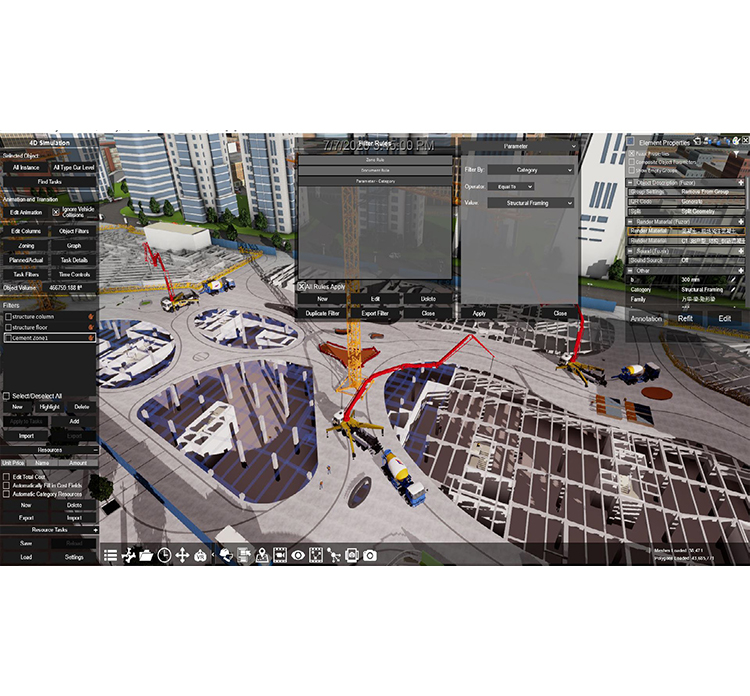
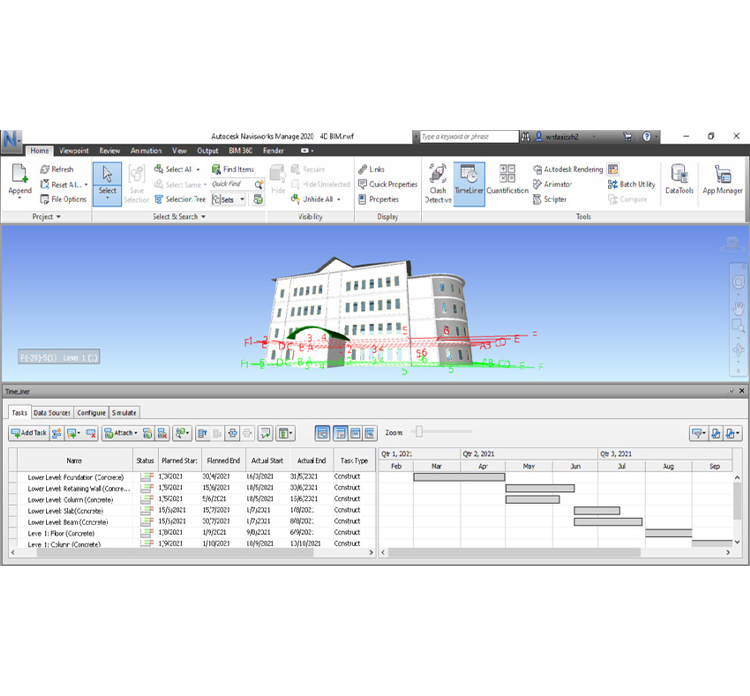
We support clients by creating visual schedules that help teams understand construction timelines and plan resources effectively.
Our service ensures better communication, early identification of risks, and proactive solutions to keep projects on track.
Integration of 3D Models with Project Schedules
- BIM 4D scheduling involves linking a 3D BIM model with a time-based schedule (often created in scheduling software such as Microsoft Project, Primavera, or other specialized tools). This integration creates a dynamic simulation of the construction process, showing how the project evolves over time.
- By associating construction tasks and activities with specific elements in the BIM model, we can visualize the sequence of work, monitor progress, and detect potential delays or conflicts.
Visualization of Construction Activities
- Using tools like Navisworks, Synchro, and Bexel Manager, we create detailed 4D simulations that show how the construction process unfolds, step-by-step. These visualizations help stakeholders better understand the construction sequence and the impact of decisions on the overall timeline.
- Navisworks: Known for its robust 3D model viewing and clash detection capabilities, Navisworks can also be used to create 4D simulations by linking the model with project schedules, enabling the visualization of construction phases in real-time.
- Synchro: Synchro provides advanced 4D scheduling capabilities, allowing project teams to integrate construction schedules with detailed 3D models. It supports comprehensive planning, project tracking, and simulation of complex construction sequences.
Bexel Manager: This platform offers a fully integrated BIM solution with advanced 4D scheduling capabilities, linking construction schedules with BIM models to provide a clear visual representation of project progress and potential delays.
Construction Phasing and Sequencing
- With BIM 4D scheduling, we can clearly define the sequence of activities, visualize how the building will be constructed in phases, and simulate various construction scenarios. This helps identify potential issues such as resource conflicts, space constraints, or sequencing errors.
- Visualizing the construction phases in a time-based simulation enables proactive decision-making, optimizing the workflow and avoiding costly rework.
Get in Touch with a Member of Our Team Today